 Adobe InDesign Logo PNG
The Adobe InDesign logo symbolizes professionalism in publishing and layout design. It highlights the software’s accuracy and precision in combining text and images into clear, convenient formats.
InDesign grew from Adobe Systems’ effort to enter desktop publishing, a market shaped by PageMaker in 1985 and later dominated by QuarkXPress. After acquiring Aldus Corporation in 1994, the company inherited PageMaker but found its aging architecture unable to match Quark’s control over typography and layout. In 1995, development of a new product began under the codename Shuksan.
The new application was built around PostScript and PDF, allowing direct output for professional printing without extra conversion. InDesign 1.0 debuted for macOS at Seybold San Francisco in September 1999. Early reviews noted its potential, but missing features and software bugs slowed adoption. Version 1.5 arrived in 2000 with fixes and added tools.
InDesign 2.0, released in January 2002, added transparency, tables, stronger typography, faster performance, and a Windows version. The release gave publishers a serious alternative to QuarkXPress. In 2003, InDesign joined Photoshop, Illustrator, and Acrobat in Creative Suite, putting it in front of millions of users and tying page layout to a wider production workflow.
CS2 added interactive PDF tools in 2005, while CS3 helped the program take the market lead by 2007 as QuarkXPress fell below 30 percent in some estimates. In 2013, the product moved to Creative Cloud subscriptions and began receiving updates many times a year. Content-Aware Fit arrived in 2019 through Sensei technology, followed by real-time collaborative editing tools in 2020.
Meaning and History
What is Adobe InDesign?
Professional software for designing printed and digital publications of any complexity. Frequently used for creating magazines, books, brochures, and interactive materials. Provides precise typography control, color management, and high-quality layout preparation for print. It allows users to create page templates, text and character styles, automatic numbering, and a table of contents. Popular in publishing due to easy integration with other graphic applications.
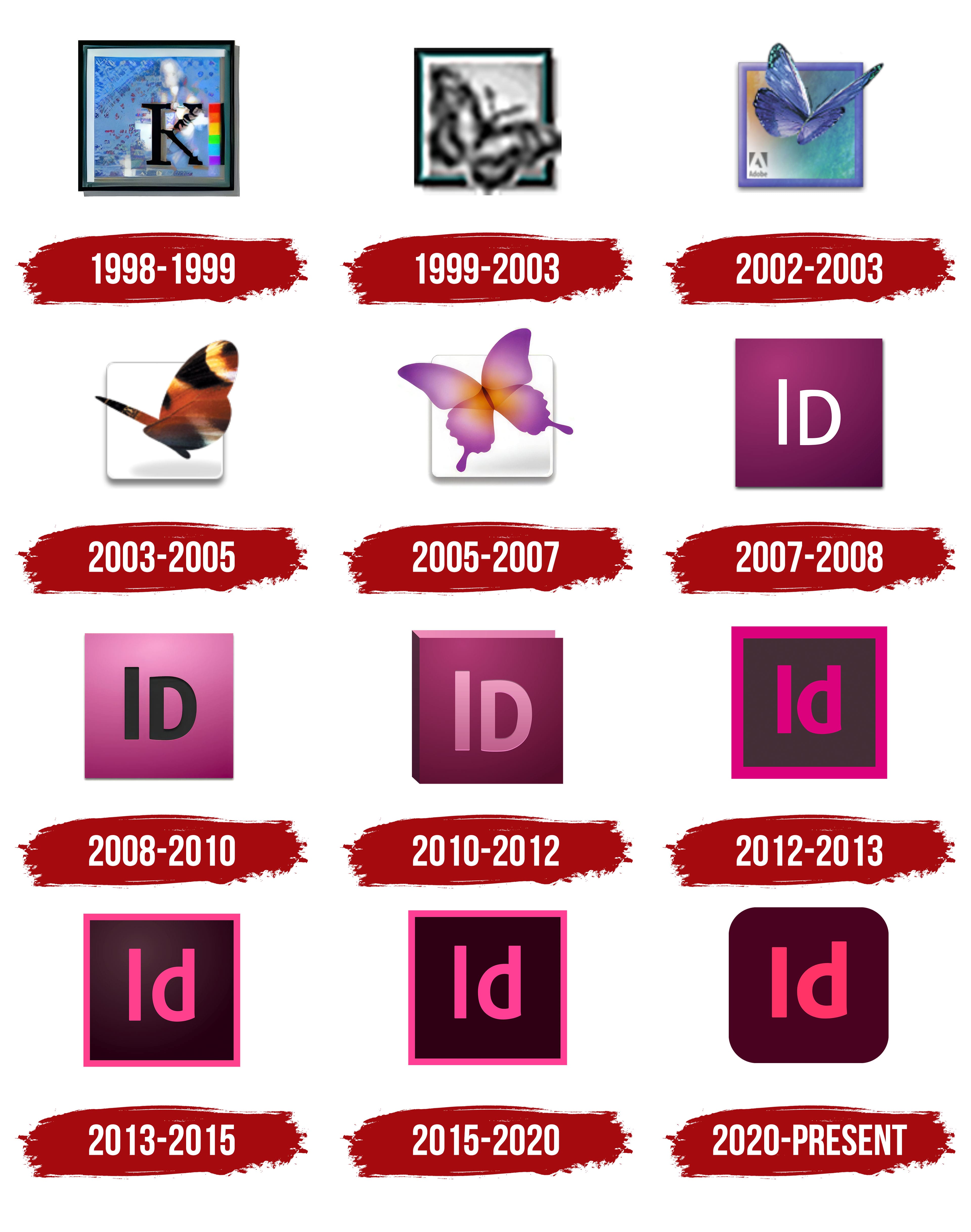
1998 – 1999

Adobe began experimenting with the program’s visual identity long before its popularity. One of its earliest attempts featured the letter “K” set against an abstract background.
The letter symbolized the project’s working name, “K2,” named after the second-highest mountain on Earth.
The blue background with the mountain image suggested the creators’ ambition to conquer the publishing design market. A color scale on the right indicated the program’s main profile: color management and page layout.
1999 – 2003

A fluttering butterfly became the new face of Adobe InDesign, symbolizing layout freedom. The company selected the insect to convey the ease of the process and the program’s creative potential.
Unlike the bright imagery of other Adobe products, InDesign stood out with a gray image framed by an aquamarine-colored border. This shade conveyed the freshness of Adobe’s new approach to desktop publishing.
The butterfly’s visual symbolized the program’s content changes and transformations.
2002 – 2003

In the new Adobe InDesign logo, the butterfly gained depth. The color palette shifted toward a blue-purple spectrum, highlighting the program’s artistic and creative character. The complexity and detail of its wings served as a metaphor for the opportunities InDesign opened for designers.
The blue-purple palette symbolized the company’s innovation and desire to stand out among other Adobe applications. The graphics became dimensional, evoking a layout designer’s multilayered work.
The symbolism of the wings suggested ease of use, in contrast to the program’s professional capabilities.
2003 – 2005

The butterfly wings changed to a brownish-yellow shade. The bright insect replaced the previous cool palette, making the appearance warmer. The color symbolized the company’s updated vision for print layout.
The white background added lightness, while the figure’s simplicity and clarity became a metaphor for the program’s efficiency. The butterfly became less imaginative but remained expressive, highlighting the company’s focus on practical design and professional convenience.
2005 – 2007

The final note of the Butterfly era sounded in transparent pink tones. The lightness of the pink butterfly in InDesign’s new logo demonstrated the program’s layout flexibility, layering, and gradient capabilities, for which it was known.
The figure was formed by intersecting translucent petals, creating a gentle transition toward the center. The bright orange center reminded users that Adobe aimed to stand out among competitors by offering fresh solutions to designers.
With this logo, the brand completed the butterfly series, marking the opening of a new visual identity.
2007 – 2008
Minimalism replaced butterflies in the emblem, giving the software a simpler, clearer look. Instead of images from nature, users saw a square filled with a saturated dark-pink shade, with the letters “Id” clearly visible. The letters represented the program’s name, InDesign.
The company chose the Myriad Pro font, a company standard, because it is simple and avoids unnecessary curves. The brand emphasized professionalism and loyalty to corporate style. The new design became part of Adobe’s strategy to unify its products. The color, inherited from the butterfly era, retained recognizability, bridging the past with the new minimalist approach.
2008 – 2010
Pink gave way to a lighter, almost berry shade. The letters “Id,” previously white, became black. The font became bold and strict, emphasizing its status as a professional software solution for publishing tasks.
The font remained the same, traditional for the company’s product design. This change reflected the brand’s effort to make the application more accessible and easier for designers to understand while maintaining recognition. The new pink shade helped distinguish the program from other Adobe products.
2010 – 2012

The berry color of the InDesign emblem was given a three-dimensional look, transforming it into a book cover. Through the interplay of shadows, the letters “Id” appeared engraved, gently illuminated by a light-pink gradient. The volume effect highlighted the program’s primary purpose: to create publications for both print and digital platforms.
The Myriad Pro font was used again to support visual unity across the company’s products. The depth and relief of the letters symbolized Adobe’s professionalism in publishing, indicating the program’s key function: creating books and magazines.
2012 – 2013
Sharp and bold! Adobe InDesign discontinued the dimensional book form. The color palette underwent a radical change: a charcoal-brown background and a bright fuchsia-colored outline. The letters “Id” now appeared in Adobe Clean, a font designed by Robert Slimbach.
Choosing fuchsia signaled the design direction for printed and digital publications. The bright contrast and clear lines demonstrated the software solution’s technological nature.
2013 – 2015

Calm and concise! InDesign shifted to a new tone. The color softened, shifting to a pale pink rather than the vivid fuchsia. The thin frame lines and letters appeared neater. The background retained its black shade but acquired subtle depth from a darker gradient.
The font remained unchanged. The decision continued Adobe’s tradition of visual unity across its products. The new palette reflected the company’s desire for a unified style across publications and digital design.
2015 – 2020
At first glance, it appeared nothing had changed. However, bright pink deepened to nearly neon, emphasizing the product’s digital nature. The thickness of the frame and letters increased slightly, making the visual sign clearer and more massive.
The magenta color symbolized the creativity of print and digital publication designers. The company maintained stylistic unity through clear lines and expressive colors across the entire Creative Cloud product line.
2020 – today

In the new version, the logo no longer has a strict square frame. The icon contours became smoother, with rounded corners. The pink shade grew warmer, losing its aggressive brightness. The background is now deeper, closer to wine color, emphasizing the editor’s maturity.
The font is Adobe Clean by Robert Slimbach. The updated design reflects the convenience of a modern digital tool adapted for mobile devices. Visually, this marks a shift in emphasis from sharpness to comfort and interface accessibility.