 Adobe Animate Logo PNG
The Adobe Animate logo is associated with a tool that has become essential for artists, developers, and multimedia content creators. Originally designed for web animation, the software has evolved into a universal platform for creating videos, interactive projects, and educational materials.
Adobe Animate began in 1993 at FutureWave Software, founded in California by Jonathan Gay and Charlie Jackson. Its first product, SmartSketch, was designed for pen-based computers and converted stylus drawings into smooth vector lines. When that market failed to grow, the team adapted the program for Windows and macOS, added frame-by-frame animation in 1995, and renamed it FutureSplash Animator.
Disney used the software for web animation, while Microsoft integrated it into MSN. Macromedia bought FutureWave in December 1996 and relaunched the product as Flash 1.0. The free browser player helped the format spread, while later releases added scripting. Flash 4 introduced a JavaScript-like language in 1999, and Flash 5 brought ActionScript 1.0 in 2000, supporting browser games, interactive sites, and video used worldwide by Newgrounds, Miniclip, and Kongregate.
Macromedia was acquired for $3.4 billion in 2005. Flash entered Creative Suite, and Flash CS3 arrived in 2007 with ActionScript 3.0. Its position weakened after Steve Jobs rejected the technology on iPhone and iPad in 2010, citing security, performance, and battery concerns. Developers increasingly moved to HTML5 and CSS3.
Adobe renamed Flash Professional CC to Animate CC in November 2015, shifting attention toward HTML5, WebGL, SVG, and video. Support for Flash Player ended on December 31, 2020, and browsers blocked playback in January 2021. The application continued as an animation tool after the browser plugin disappeared.
Meaning and History
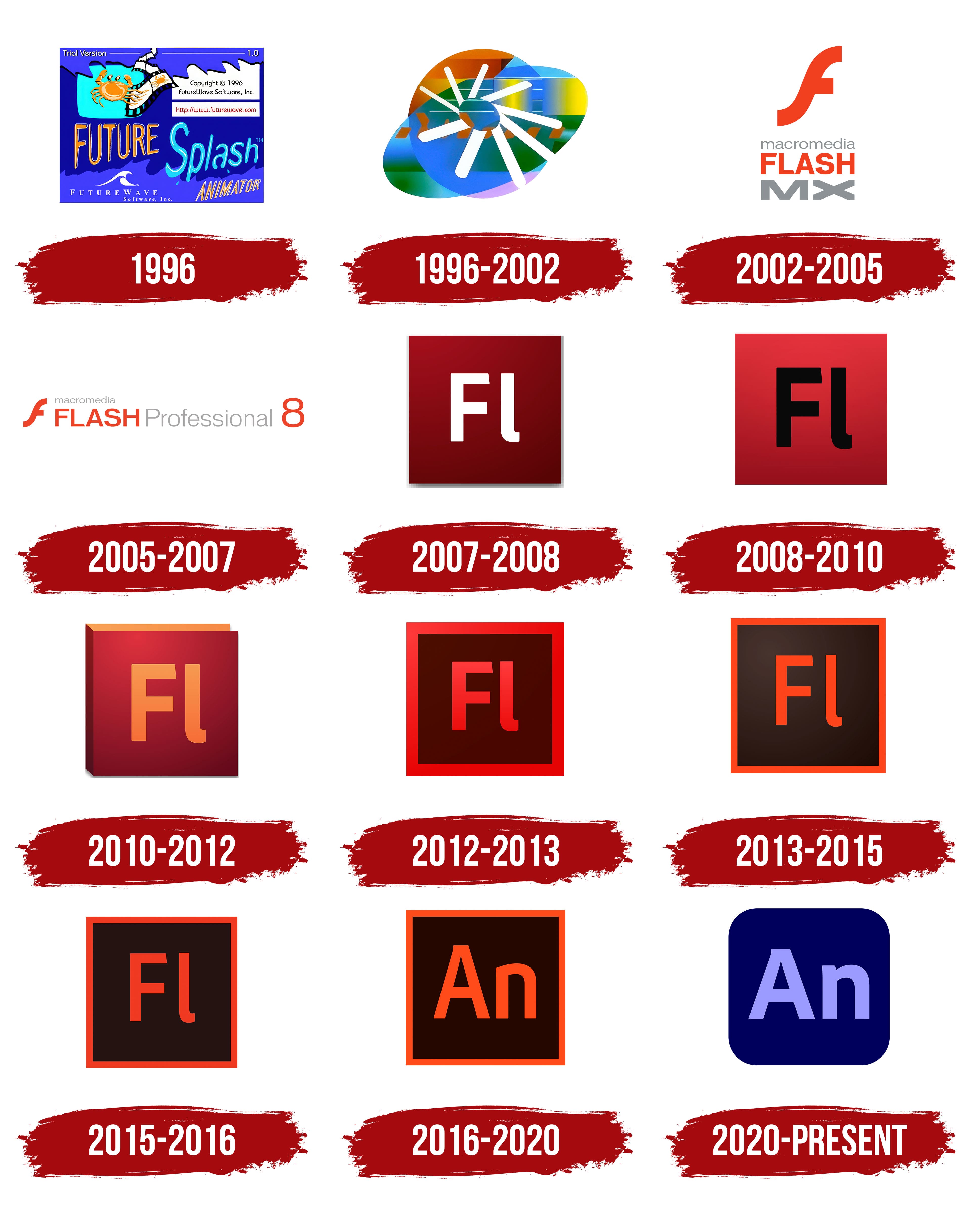
What is Adobe Animate?
This professional program is for creating animation, interactive content, and multimedia projects. It enables users to create both simple advertising banners and complex animated scenes featuring characters and special effects. The software features a timeline, frame-by-frame animation, motion tools, and the ability to add interactive elements using JavaScript. Web developers, animators, and designers value this program for its support of various export formats, including HTML5 Canvas, WebGL, SVG, and video.
1996

The history of the FutureSplash Animator logo is closely tied to the team that developed the program. Jonathan Gay and Charlie Jackson created the product with the participation of programmer Robert Tatsumi, artist Adam Grofcsik, and public relations specialist Ralph Mittman. In May 1996, FutureWave Software released FutureSplash Animator, and in December of the same year, the project was acquired by Macromedia. After that, the name was changed to Macromedia Flash 1.0. The original logo, featuring the crab symbol, was used from the program’s release until the transfer of rights to the new owner.
The emblem had a horizontal design and a rich blue-violet color palette with warm accents. In the center was the inscription “FUTURE Splash ANIMATOR.” FUTURE was created in a decorative 3D font with rounded elements, highlighted by a golden-orange gradient and a dark outline. Splash was written in a free, fluid style resembling brushstrokes. The turquoise-blue shades were complemented by splashes, evoking associations with water and the act of painting. ANIMATOR consisted of elongated, narrow letters with an orange-yellow gradient.
On the left was a turquoise shape resembling a screen. Inside it was an orange crab holding a brush in one claw. The image emphasized the product’s artistic and animated focus. A curved film strip extended from the symbol, repeating the crab image. All the details referred to the frame-by-frame animation technology used in multimedia applications of the 1990s.
On the right side was an information block with the website address and copyright notice. The top area featured the markings “Trial Version” and version number “1.0.” White letters with a dark shadow highlighted the program’s distribution format.
The lower section displayed the name “FutureWave Software, Inc.” It was written in a small white serif font and accompanied by a stylized wave image that referred to the developer’s name.
The combination of cool and warm tones, primarily orange and blue, formed an energetic and innovative image. The color system and visual composition matched the aesthetics of mid-1990s software products, in which technical capabilities were combined with bright metaphors that expressed creativity and the animation process.
1996 – 2002

After FutureWave Software was acquired by Macromedia in December 1996, the product, FutureSplash Animator, was renamed Macromedia Flash. A new symbol was also introduced.
The composition was based on the interaction between a circle and an oval that crossed it diagonally. Their overlap created the impression of rotation, giving the structure an abstract character. In the center was a sign made of nine white rays emanating from a single point. Their shape resembled a spiral rotation or a schematic image of a loading process. The image was associated with the product’s digital nature, in which data transmission and the playback of animation sequences were fundamental.
The logo background had a complex palette. Gradient transitions of green, blue, yellow, and orange tones were used. The contrast between the multicolored base and the white segments in the center enhanced the rotational effect and the symbolism of digital flow.
The combination of forms and shades emphasized the product’s technological nature and its connection to visual content. The white rays in the center resembled a propeller or wheel, evoking cyclicality and continuous renewal, echoing the processes underlying the multimedia technologies of the late 1990s.
The abstract structure reflected Macromedia’s approach to positioning Flash as a universal platform for visual and internet content. The company aimed to show that the program could unite creative and technological aspects, setting a new standard in the multimedia field at the turn of the millennium.
2002 – 2005
The appearance of the Macromedia Flash MX logo coincided with the release of the sixth version of the popular multimedia platform, which was presented to the public on March 15, 2002. This period of use lasted until December 2005, when Macromedia was acquired by its competitor, Adobe.
The structure of the Macromedia Flash MX logo was organized along a vertical axis with emphasis on a large stylized letter “F.” It had an unusual silhouette, characterized by a smooth diagonal and a protruding horizontal element, which created a shape resembling a lightning bolt or a curved wing. The plasticity of the symbol’s form was intended to convey the dynamics of the multimedia environment and the specifics of a software product connected to interactive animations and digital content.
Below the symbol was text arranged in three levels. The upper level contained the word “macromedia” written in lowercase sans-serif letters similar to the Helvetica family. The letters were drawn with thin gray lines, creating balance with the bright “F” symbol.
The second level contained the word “FLASH,” set in large, bold, uppercase, sans-serif letters. It was rendered in a red-orange color that visually connected the inscription with the “F” symbol, emphasizing the product name.
The third position was occupied by the inscription “MX,” written in the same typeface but in a wider and heavier font. A calm gray tone was chosen for it, softening the lower part of the composition and stabilizing the logo’s overall structure. The differences in arrangement and font size established a hierarchy of perception.
The palette was based on the contrast of two colors. The primary color was red-orange, and the secondary was a neutral gray tone. The red-orange color, associated with energy, speed, and creative potential, reflected the program’s functionality, which focused on animation and user interaction. The gray tones added professional restraint to the composition, indicating the product’s affiliation with the Macromedia family.
The Macromedia Flash MX logo metaphorically reflected the platform’s nature. The “F” symbol was perceived as a visual analogy for lightning, conveying dynamism, speed, and responsiveness in the digital environment.
2005 – 2007

A new visual identity was introduced with the release of Flash 8 when Macromedia launched the updated version of the program on September 13, 2005. It became the company’s final release, as in December of the same year, Adobe acquired Macromedia and replaced the brand with Flash CS3 Professional. Therefore, the Flash Professional 8 logo was the last one created and used under the Macromedia name.
The composition did not differ much from the previous version. It was built on a horizontal layout that combined the “f” symbol with a text block. The symbol retained its smooth curves, rounded edges, and diagonal orientation, as in earlier versions. The silhouette resembled a lightning bolt, conveying speed and evoking the energy of multimedia technologies.
The inscription unfolded from left to right, visually leading the eye to the final number “8,” which completed the composition. At the beginning of the line was the word “macromedia,” set in a small gray sans-serif font. The neutral color created balance with the following elements.
Below it was the word “FLASH,” written in large uppercase sans-serif letters. The color matched the “f” symbol, a saturated red-orange tone. The line continued with the word “Professional,” written in lowercase with an initial capital “P.” The font had standard proportions and repeated the gray tone of the word “macromedia.”
The large number “8” in the same red-orange color as “FLASH” served as the final accent of the design.
The two-color combination of red-orange and gray worked well in contrast. The first represented energy and innovation, while the second added restraint and emphasized professional quality. The entire logo reflected the program’s connection to the themes of speed, creativity, and technical precision, forming a complete image of Macromedia’s final product before it transitioned to the Adobe brand.
2007 – 2008

The Flash style was updated when the program was integrated into the Adobe Creative Suite. On March 27, 2007, the CS3 package was released, and Flash Professional received the CS3 designation (official version 9). Along with the change in ownership came a new emblem format. The introduction was accompanied by the unification of the entire Adobe product line, where each program received a square icon with a letter index.
The Flash Professional CS3 emblem featured a square with an angled gradient. The burgundy shade transitioned from a dark, wine-toned bottom to a lighter, more saturated top. The gradient created a sense of volume and depth, enhancing the texture. Along the outer edge was a thin, gray shadow that emphasized the square’s shape and created a slight separation effect from the background.
At the center was the abbreviation “Fl.” The typography used a strict sans-serif font. The capital “F” had a diagonal cut at the top bar, giving the mark a slight asymmetry and a sense of inner motion. The lowercase “l” had a rounded bottom edge, softening the rigidity of the composition and balancing technical precision with flexible plasticity.
The color white symbolized clarity and precision, and was associated with professionalism and standardization. The burgundy shade emphasized the tools’ energy and richness, reflecting the intensity of working with multimedia content.
The overall style of the logo became stricter and more serious compared to Macromedia’s legacy. It represented Flash’s new status within the professional Adobe Creative Suite system and positioned the program alongside other products focused on uniformity and corporate style.
2008 – 2010

The release of Adobe Creative Suite 4 marked a change in the visual style of the entire application line, and Flash Professional CS4 was no exception. The program was presented on October 15, 2008, following a preliminary announcement on September 23. In this release, Adobe implemented strict standards for interface and symbol unification, which was reflected in the Flash emblem.
The icon’s square format was preserved, but its visual interpretation was reworked. The gray shadows along the edges, which had previously created a 3D illusion, were removed. The surface became flat.
The background adopted a brighter and more saturated red tone. It was based on a smooth vertical gradient, with a darker shade at the bottom transitioning to a lighter one at the top. Compared to the previous version, the color palette has become more expressive, emphasizing the program’s energy and its role in creating animation content.
The “Fl” inscription underwent minor changes. The letters grew larger and turned black. The font remained the same: a dense, geometric sans-serif with rigid outlines and a structural logic. The diagonal cut on the top bar of the “F” and the rounded bottom edge of the lowercase “l” remained unchanged. These details continued to add slight asymmetry, giving the mark character.
The black color of the inscription added a sense of precision and technological direction, enhancing its professional tone. The red background, in contrast, evoked a sense of expression and creativity. Their juxtaposition emphasized the product’s dual nature, combining technical and artistic aspects.
2010 – 2012

New updates to the Flash identity came with version CS5, released in 2010. Unlike the minimalist style of previous years, the new logo gained volume and a more flexible form, reflecting a shift in visual logic within the Creative Suite framework.
The emblem appeared as a rectangle resembling a folded book or box. The upper edge extended forward, giving the structure a three-dimensional appearance. A thin gray shadow along the bottom enhanced the sense of depth and made the mark look more tangible.
The color scheme was built around warm shades of red, featuring a vertical gradient. The upper area featured a lighter red tone transitioning downward into a rich burgundy. The transition created a tactile, volumetric impression.
The typographic part retained its form but gained new coloring. The “Fl” inscription became gradient orange-yellow. Against the burgundy rectangle, the letters stood out strongly. A geometric sans-serif font was used. The “F” had a diagonal cut at the top stroke, and the lowercase “l” had a rounded bottom. These features maintained continuity and gave the symbol individuality.
The shades of yellow and orange were associated with warmth and energy, and their combination with red tones enhanced the feeling of creative richness. They highlighted the emotional side, defining Flash as a tool that combined technological capability and artistic expression.
The CS5 emblem demonstrated an effort to show balance between professional precision and creative potential.
2012 – 2013
A logo change accompanied the inclusion of Flash Professional in Adobe Creative Suite 6. The program received an updated identity, designed in the general style of the entire product line, and was first presented on April 23, 2012, with an official release on May 7.
Compared to previous versions, the changes were significant. The logo became square, with a wide frame in deep red. The inner part contained a dark square in a deep burgundy-brown tone, serving as a background for the “Fl” inscription.
The typographic part of the logo was modified. The letters became thinner and slightly smaller, creating more space in the composition. The typeface was close to Adobe Clean, used in the company’s interfaces. Its distinctive asymmetry was preserved, namely the diagonal cut of the “F” and the soft curve at the bottom of the “l.”
The color palette was based on the interaction of two new main tones. Bright red was used for the frame and text, evoking associations with energy and creativity linked to multimedia development. Dark burgundy-brown served as the background, emphasizing seriousness and the technological aspect.
The logo’s visual structure metaphorically resembled a window or frame through which the user accessed digital content. This interpretation aligned with the concept of Creative Suite 6, in which all products were integrated into a unified professional space.
2013 – 2015

The new Flash Professional CC logo came with Adobe’s transition from the boxed Creative Suite model to the cloud-based Creative Cloud system. Starting in June 2013, the program was distributed by subscription, and its visual image received a new look reflecting the company’s updated strategy.
The logo’s square shape was retained, but its proportions were adjusted. The thickness of the frame and text was reduced, giving the overall appearance a lighter and neater look. This adjustment reflected Adobe’s focus on simplifying visual solutions and emphasizing functionality in the new Creative Cloud environment.
Unlike the CS6 version, which emphasized the combination of red and burgundy-brown, the CC version shifted the focus to orange. This color was applied to both the “Fl” letters and the outer frame. The intensity of the orange enhanced the contrast with the background, unifying all elements into a cohesive composition.
The background was darkened, rendered in brown tones with a subtle radial glow at the center. The gradient had very low intensity, making the effect barely visible, yet it added a slight sense of depth and gently enlivened the flat surface.
The orange used in the letters and frame symbolized creative energy and multimedia activity, while the dark brown background emphasized the program’s technological foundation and professional nature.
2015 – 2016

Unlike the 2013 version, which featured a light radial gradient, the Flash Professional CC 2015 logo abandoned the glow effect. The background became solid and took on a dark brown shade close to black.
Changes also affected the color saturation of the letters and frame. The red-orange tone applied to the “Fl” symbol and the outer border became more muted and denser compared to the previous version. Visually, the clear edges of the forms were emphasized, creating the impression of precise, well-defined lines.
The logo’s composition remained the same. The square with an inner background and contrasting inscription retained its structure, but through its color adjustments, Adobe gave the emblem a new tone. The restrained dark background represented the product’s technological base, while the stronger red-orange accent reinforced the association with the creative environment and Flash’s multimedia nature.
2016 – 2020

A name change and a new logo accompanied the transition from Flash Professional to Adobe Animate CC. The rebranding decision was linked to Adobe’s shift away from the outdated Flash technology toward HTML5 and the integration of the program into the Creative Cloud model.
The key difference was in the letter designation. Instead of the previous “Fl,” a new abbreviation, “An,” appeared. It emphasized the program’s reorientation toward animation and multimedia content creation in accordance with modern standards. The clean sans-serif typeface remained, but the letter case changed. The first letter became uppercase, and the second was lowercase.
The color palette resembled that of the 2013–2015 logo. The background featured a dark brown tone with a reddish tint, close to black, creating a strict foundation and highlighting the program’s technological focus. The letters and frame, by contrast, were rendered in bright orange, more saturated than before.
The Adobe Animate logo retained the square shape characteristic of all Adobe applications, but the new color and letter combination gave it a fresh meaning. The orange tone in the lettering and frame symbolized energy and creative activity, while the dark background associated the image with professionalism and a technological direction.
2020 – today
Adobe’s “Evolving Brand Identity” initiative became the starting point for changes in the Animate CC version 20.5 logo. The primary objective was to sever all visual associations with Flash, whose reddish or orange hues had long symbolized the program. The updated emblem was meant to emphasize the product’s shift toward modern animation technologies and integration with HTML5 digital standards.
The logo shape was no longer a strict square with sharp corners. The contour acquired smooth, rounded edges, giving it a softer and more visually balanced look. In the center was the “An” letter mark. The typeface remained clean and sans-serif, but the letters were larger and had even stroke thickness. The combination of an uppercase “A” and lowercase “n” was preserved.
Instead of red tones, the background became dark blue with a violet tint. The letters were given a soft, lavender shade. This contrast created a fresh, flexible, and creative impression associated with Animate’s modern character.
The absence of the outer frame, previously used in Creative Cloud logos, made the emblem unified and reflected Adobe’s move toward minimalism and visual clarity.
The Adobe Animate CC 20.5 logo became a symbol of a new stage in the program’s evolution. It solidified the departure from Flash’s legacy and positioned the product as a modern digital animation tool focused on flexibility, technology, and integration with current industry processes.